
Tetra Data Assistant v1.0.x Release Notes
NOTERelease notes for the Tetra Data Assistant are now available through the app's Details page in the Tetra Data & AI Workspace. For more information, see View Tetra Data App Documentation.
The following are the Tetra Data Assistant release notes for versions 1.0.x. The app uses AI to help customers design, build, and deploy complete Raw-to-Intermediate Data Schema (IDS) data transformation pipelines in the Tetra Data Platform (TDP).
v1.0.0
Release date: 2 March 2026
TetraScience has released its first general availability version of the Tetra Data Assistant app, version 1.0.0. Tetra Data Assistant uses AI agents to automate the creation of Intermediate Data Schemas (IDSs), task scripts, and protocols based on your example files and requirements.
Here are the details for what's in Tetra Data Assistant v1.0.0.
Prerequisites
Tetra Data Assistant v1.0.0 requires the following:
- Tetra Data Platform (TDP) v4.4.1 or higher
- TetraScience AI Services v1.1.1 or higher must be activated in your TDP environment
- TDP permissions to deploy artifacts to your organization's namespace
- Supported input file formats: CSV, TSV, JSON, or XLSX (up to five files per session)
New Functionality
New functionality includes features not previously available.
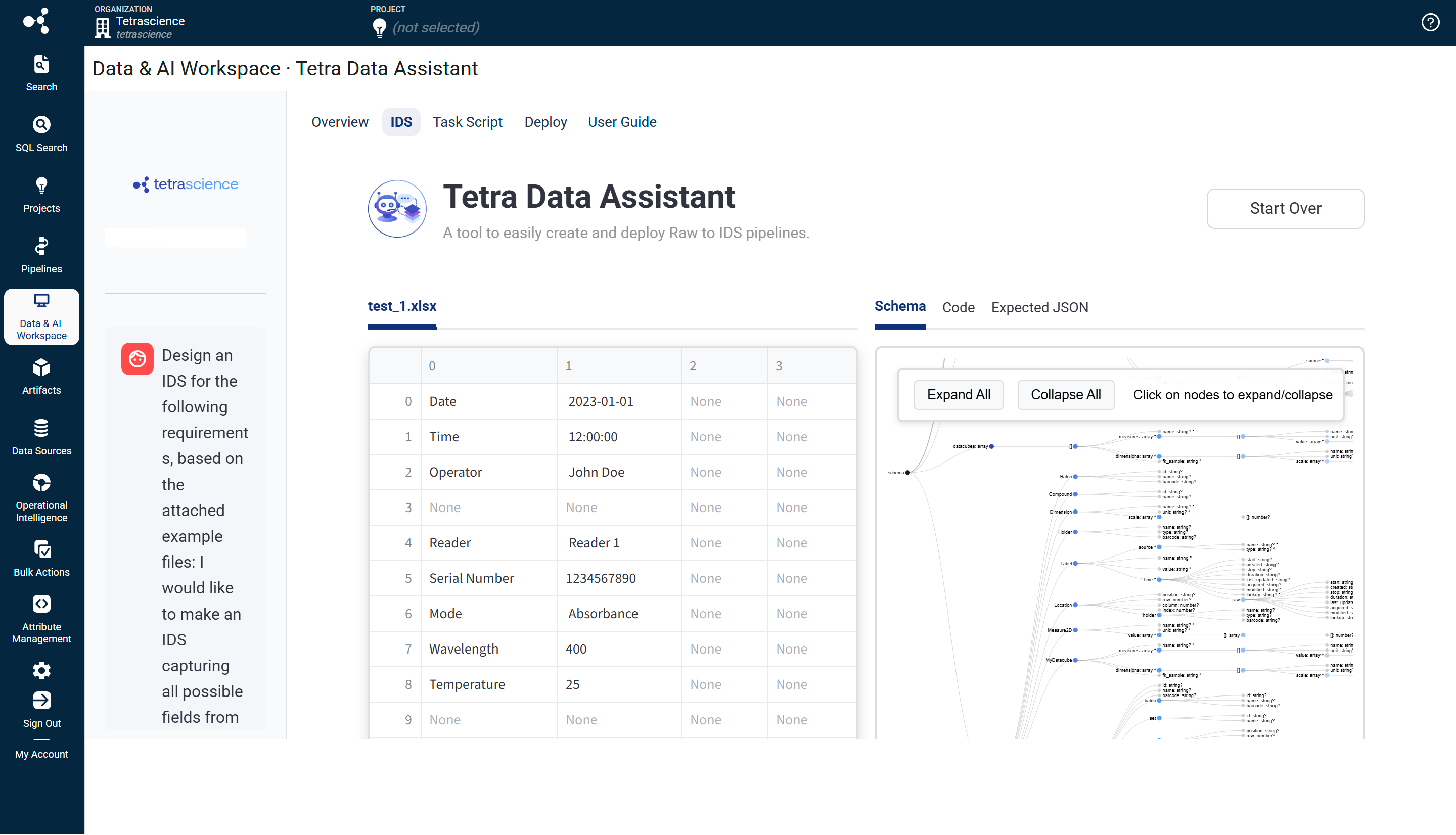
AI-Powered IDS Design
The Tetra Data Assistant uses AI agents to design Intermediate Data Schemas (IDSs) based on your uploaded example files and requirements description. Users can upload up to five raw data files in CSV, TSV, JSON, or XLSX format, describe their data transformation requirements, and let the AI agent generate a complete IDS draft. The app also provides an interactive chat sidebar that allows users to refine and adjust the generated schema through natural language instructions.
Automated Task Script Generation
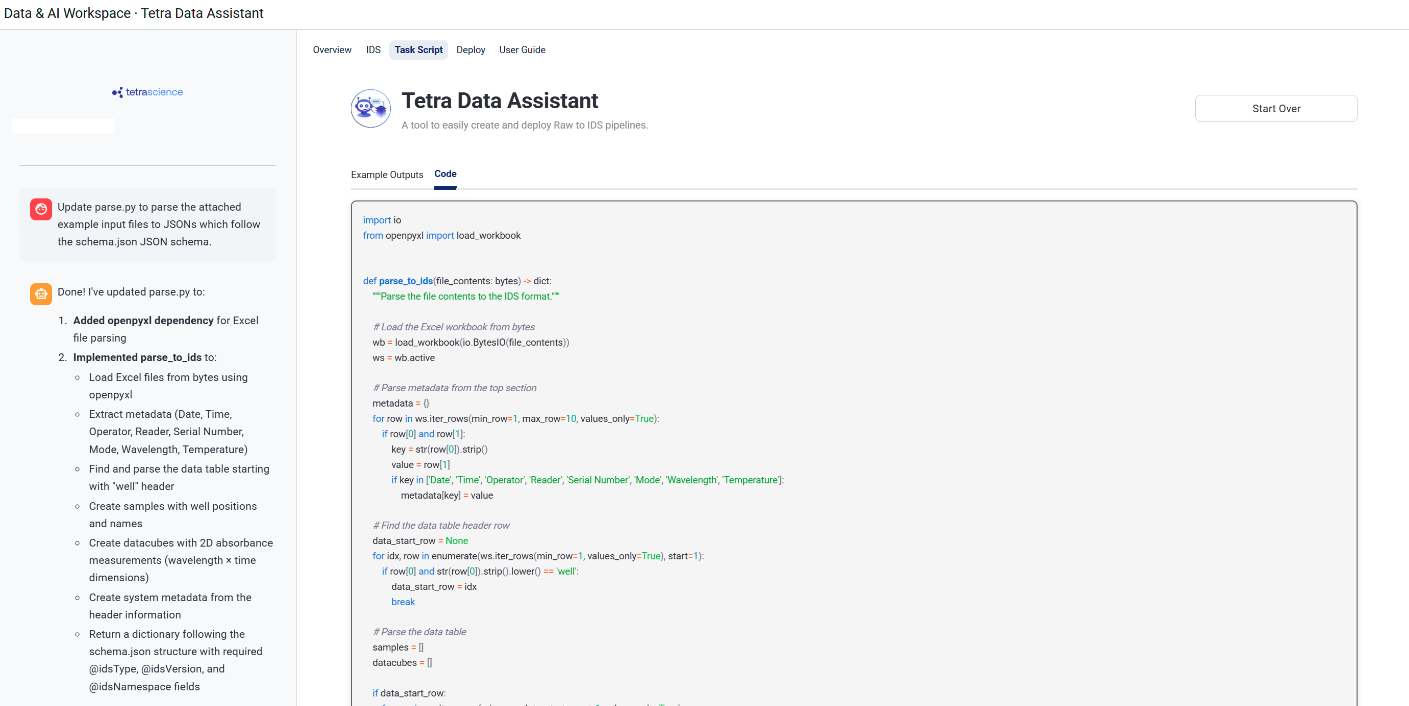
After users approve an AI-generated IDS, the agent automatically generates a Python task script (parse.py file) that transforms raw input files into IDS-formatted JSON output. The generated code goes through multiple validation layers before execution, including the following:
- Package allowlist verification
- Static analysis using Bandit
- Network isolation
- Filename validation
- Resource limits
These security controls ensure AI-generated code can't make network requests, access files outside the expected workspace, or consume excessive resources.
Protocol Generation and One-Click Deployment
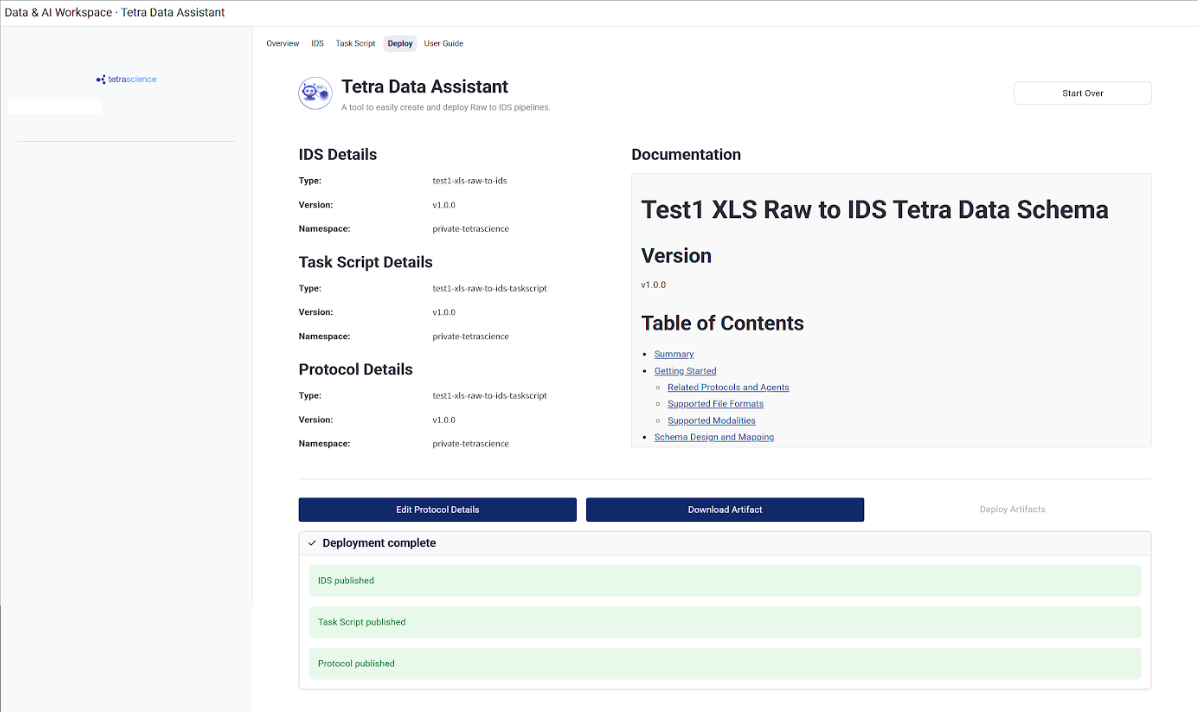
The app generates protocols (protocol.yml files) that tell the TDP how to run your task script. Users can review, manually edit, and approve auto-generated README documentation, and deploy all artifacts (IDS, task script, and protocol) to the TDP with a single click.
Update Mode for Existing Artifacts
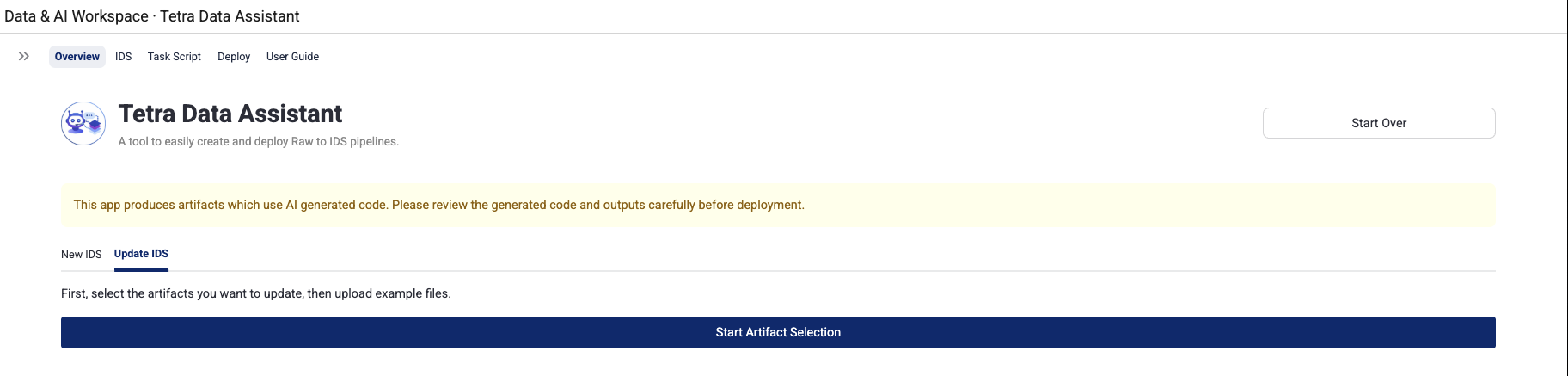
Along with creating new artifacts, users can select and modify existing IDSs, task scripts, and protocols from their private namespace if those artifacts were created using the app. The Tetra Data Assistant currently doesn't have the ability to update artifacts that were created outside of the app.
The app supports the following actions in Update mode:
- Browsing and selecting existing artifacts
- Modifying selected artifacts through AI chat interactions
- Automatic version bumping for modified artifacts
- Selective deployment of only the artifacts that were changed
Built-In User Guide
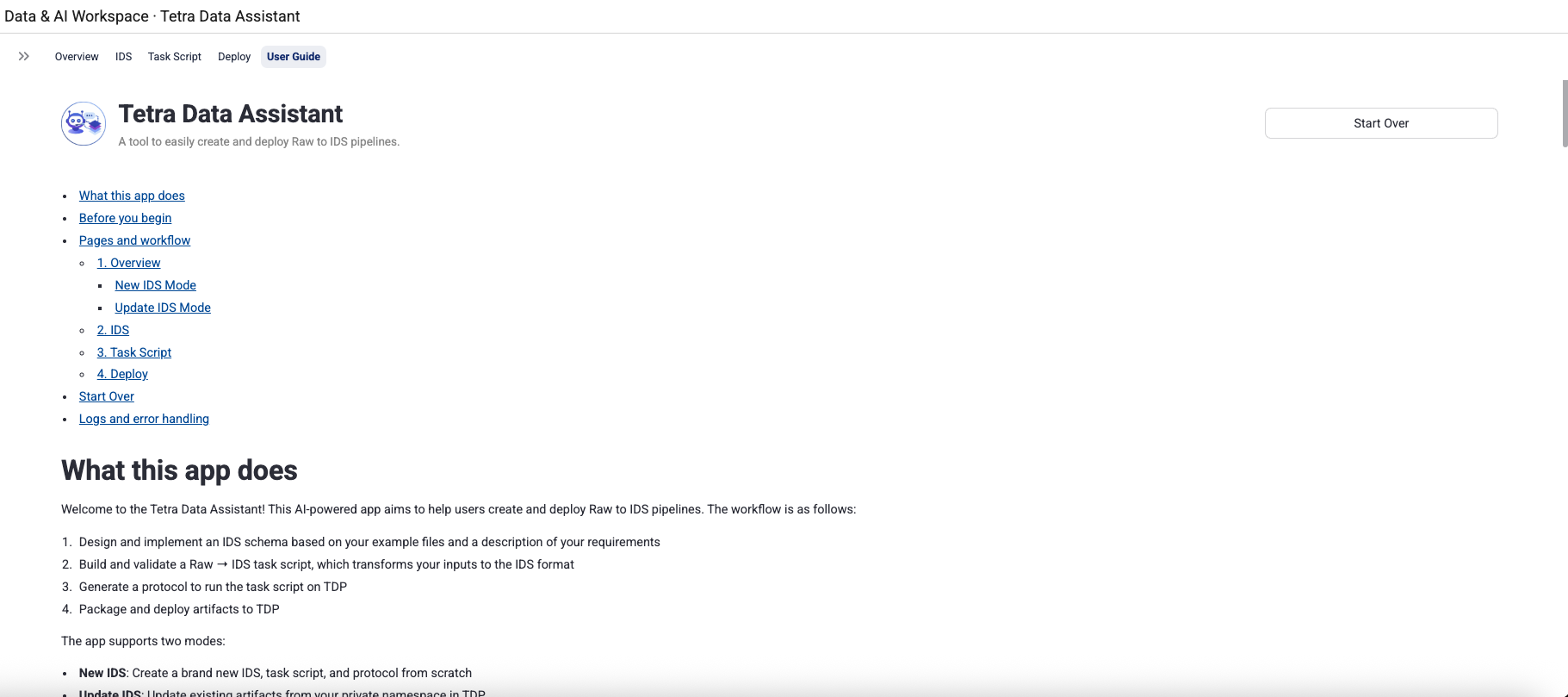
A comprehensive User Guide is available directly within the app's navigation bar to provide self-service help for all features and workflows.
Downloadable Artifacts and Logs
Users can download ZIP files containing all generated code and artifacts for offline review. Additionally, logs can be downloaded to assist with troubleshooting deployment errors or validation failures.
Enhancements
There are no enhancements in this release.
Bug Fixes
There are no bug fixes in this release.
Limitations
The following are known limitations of Tetra Data Assistant v1.0.0:
- A maximum of five input files can be uploaded per session.
- Uploaded files consume tokens in the AI agent's context window. Use small, representative files to reduce token usage and improve output quality.
- In update mode, when updating an existing IDS with new example files, the
expected.jsonfile is loaded directly from the TDP artifact and is not automatically regenerated based on the new example files. The AI agent can still modifyexpected.jsonthrough chat interactions if needed.
Deprecated Features
There are no deprecated features in this release. For more information about TDP deprecations, see Tetra Product Deprecation Notices.
Known and Possible Issues
The following are known or possible issues in Tetra Data Assistant v1.0.0:
- Validation retry behavior: When validation fails on the IDS or Task Script page, the AI agent automatically retries. If validation continues to fail, use the chat sidebar to provide additional guidance, or click Download Artifact to inspect the generated files.
- Agent responsiveness: In rare cases, the agent may appear stuck or produce no output. Click Start Over to reset the session. If the problem persists, contact your TDP administrator.
Upgrade Considerations
To activate the Tetra Data Assistant in your TDP environment, see Activate an Embedded Data App.
For more information about the Tetra Data Assistant, see the Tetra Data Assistant documentation.
Other Release Notes
To view other release notes for Tetra Data Apps, see Tetra Data Apps Release Notes.
Updated 29 days ago