

Artifact Version Manager
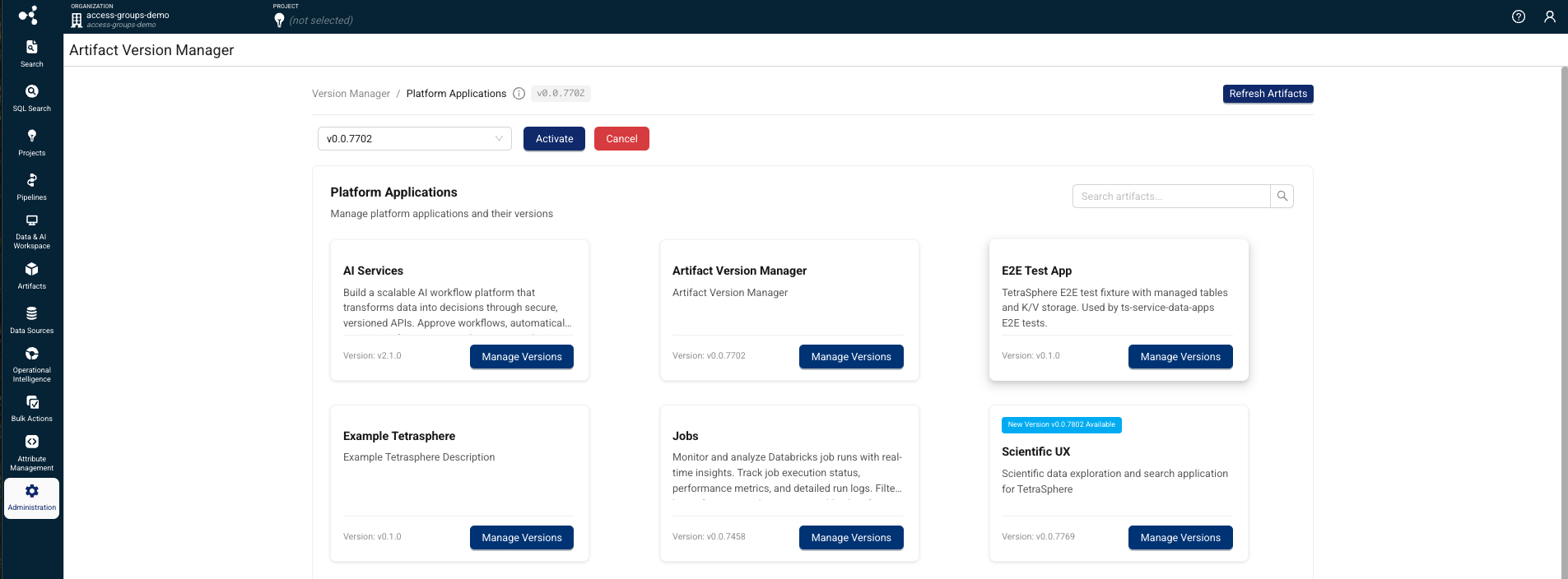
The Artifact Version Manager provides a unified interface for managing, versioning, and activating artifacts across your Tetra Data Platform environments.
Artifact Version Manager provides a unified interface for managing, reviewing, and approving versioned artifacts across Tetra Data Platform (TDP) environments.
The Artifact Version Manager provides the approval mechanism that other separately versioned artifacts depend on, and must be deployed and activated before those artifacts can be used.
NOTEThe Artifact Version Manager is available as part of a limited availability release. To activate it in your environment, see Activate Artifact Version Manager.
Key Capabilities
- Version control for platform applications — View current, newest, and in-review versions for artifacts, with full version history tracking.
- Approval workflow — Review and approve new artifact versions before activation, with role-based permissions and status tracking (New, In Review, Approved, Cancelled).
- Activation and cancellation — Activate approved artifact versions to make them available to users, or cancel versions to roll back.
- Artifact synchronization — Sync available artifacts from the platform registry to ensure the version manager reflects the latest published versions.
- Admin activation — Administrators enable Artifact Version Manager through a feature flag and the Organization Settings page. Once enabled, Artifact Version Manager is accessible from the Administration menu in the side navigation.
Supported Artifact Types
The Artifact Version Manager currently supports the following artifact types:
- TetraScience AI Services
- Scientist Experience (listed as Scientific UX in Artifact Version Manager)
The list also includes Artifact Version Manager itself. To change its version, see Upgrade or Switch Versions.
NOTEIf TetraScience has enabled a beta release app for your environment, that app also appears in Artifact Version Manager. Beta apps aren't generally available. For more information, contact your customer account leader.
Support for additional artifact types will be added in future releases. To start using the feature, contact your customer account leader.
Prerequisites
The Artifact Version Manager requires the following:
- Tetra Data Platform (TDP) v4.5.0 or later
- Artifact Version Manager activated for your organization
- A TDP user account with Admin permissions
Activate Artifact Version Manager
To activate the Artifact Version Manager for your organization, do the following:
- Sign in to the TDP as a user with Admin permissions.
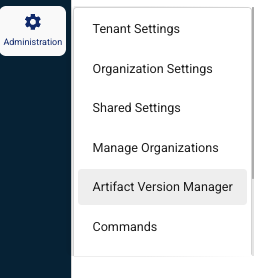
- In the left navigation menu, choose Administration.
- Select Organization Settings.
- In the Artifact Version Manager section, choose Enable.
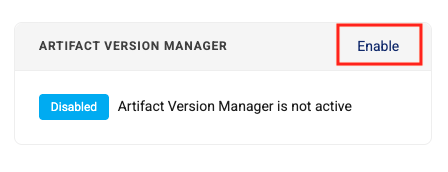
After you enable the Artifact Version Manager, it appears in the Administration menu in the side navigation.
Upgrade or Switch Versions
To upgrade Artifact Version Manager, or to switch which version your organization uses after it's activated, do the following:
- Sign in to the TDP as a user with Admin permissions.
- In the left navigation menu, choose Administration. Then, select Artifact Version Manager.
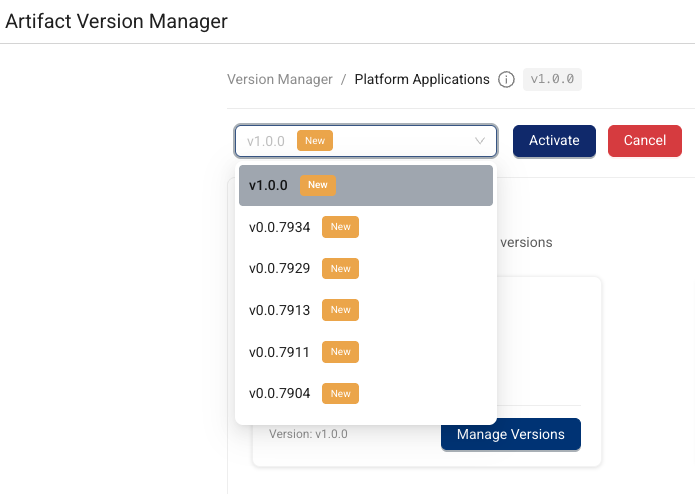
- Use the upper left vX.X.X dropdown to select a new version. A dialog appears, asking you to confirm the switch.
- Choose Switch. The new version loads.
User Guides
For more information about how to use the Artifact Version Manager, see the latest user guide:
Documentation Feedback
Do you have questions about our documentation or suggestions for how we can improve it? Start a discussion in TetraConnect Hub. For access, see Access the TetraConnect Hub.
NOTEFeedback isn't part of the official TetraScience product documentation. TetraScience doesn't warrant or make any guarantees about the feedback provided, including its accuracy, relevance, or reliability. All feedback is subject to the terms set forth in the TetraConnect Hub Community Guidelines.
Updated 8 days ago